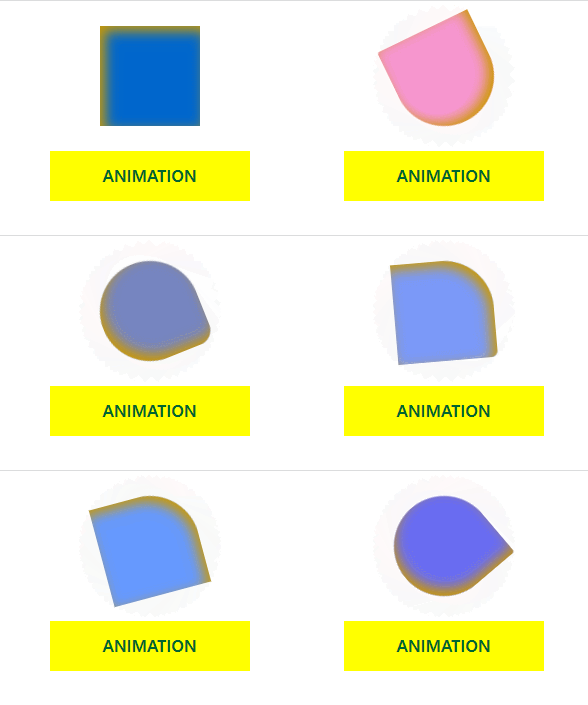
애니메이션: 박스의 진행정도(0~100%)에 따라 스타일 시트를 적용할 수 있다.
animation-name: 애니메이션 이름으로 지정한 애니메이션 효과를 사용한다.
animation-duration: 애니메이션 진행 시간을 지정(0.8s, 2s 등)
animation-timing-fucntion: 애니메이션 속도 변화 유형 지정
linear: 일정한 속도
ease: 빠르게 시작한 후 부드럽게 끝남
ease-in: 부드럽게 시작한 후 빠르게 끝남
ease-out: 부드럽게 시작한 후 빨라진 뒤 부드럽게 끝남
ease-in-out: 부드럽게 시작한 후 부드럽게 끝남
animation-delay: 애니메이션의 대기 시간을 지정(0.4s, 0.8s 등)
animation-iteration-count: 애니메이션 반복 여부를 지정(infinite, 반복횟수)
animation-direction: 애니메이션의 진행 방향을 지정
normal: 정방향으로 움직임(0 ~ 100%)
reverse: 역방향으로 움직임(100 ~ 0%)
alternate: 처음에는 정방향으로 움직이고 그 다음에 역방향으로 움직임(0% ~ 100% ~ 0%)
alternate-reverse: 처음에는 역방향으로 움직이고 그 다음에 정방향으로 움직임(100% ~ 0% ~ 100%)
animation:name duration timing-function delay iteration-count direction;
애니메이션 생성
@keyframes animation-name {
0% {
스타일 속성: 스타일 값;
}
50% {
스타일 속성: 스타일 값;
}
100% {
스타일 속성: 스타일 값;
}
}
<!DOCTYPE html>
<html lang="ko">
<head>
    <meta charset="UTF-8">
    <meta http-equiv="X-UA-Compatible" content="IE=edge">
    <meta name="viewport" content="width=device-width, initial-scale=1.0">
    <title>애니메이션</title>
    <style>
        .ani {
            width:200px; height:200px; margin:50px auto;
            background:#06C; box-shadow:inset 10px 10px 25px #C90;
            animation:square-to-circle 2.5s ease-in 0.5s infinite alternate;
        }

        @keyframes square-to-circle {
            0% {
                border-radius:0;
                background:#06C;
                transform:rotate(0deg);
            }
            25% {
                border-radius:50% 0 0 0;
                background:#69F;
                transform:rotate(75deg);
            }
            50% {
                border-radius:50% 50% 0 0;
                background:#F9C;
                transform:rotate(150deg);
            }
            75% {
                border-radius:50% 50% 50% 0;
                background:#66F;
                transform:rotate(225deg);
            }
            100% {
                border-radius:50% 50% 50% 50%;
                background:#9C3;
                transform:rotate(300deg);
            }
        }

        a {
            display:block;
            width:400px; height:100px; margin:0 auto;
            font-size:32px; color:#063; font-weight:bold;
            text-align:center; line-height:100px; text-transform:uppercase; text-decoration:none;
            background:#FF0;
            transition:all 0.4s ease;
        }
        a:hover {
            width:200px; color:#FFF;
            background:#06F;
            transform:rotate(-20deg);
        }
    </style>
</head>
<body>
    <div class="ani"></div>
    <a href="#">animation</a>
</body>
</html>
결과