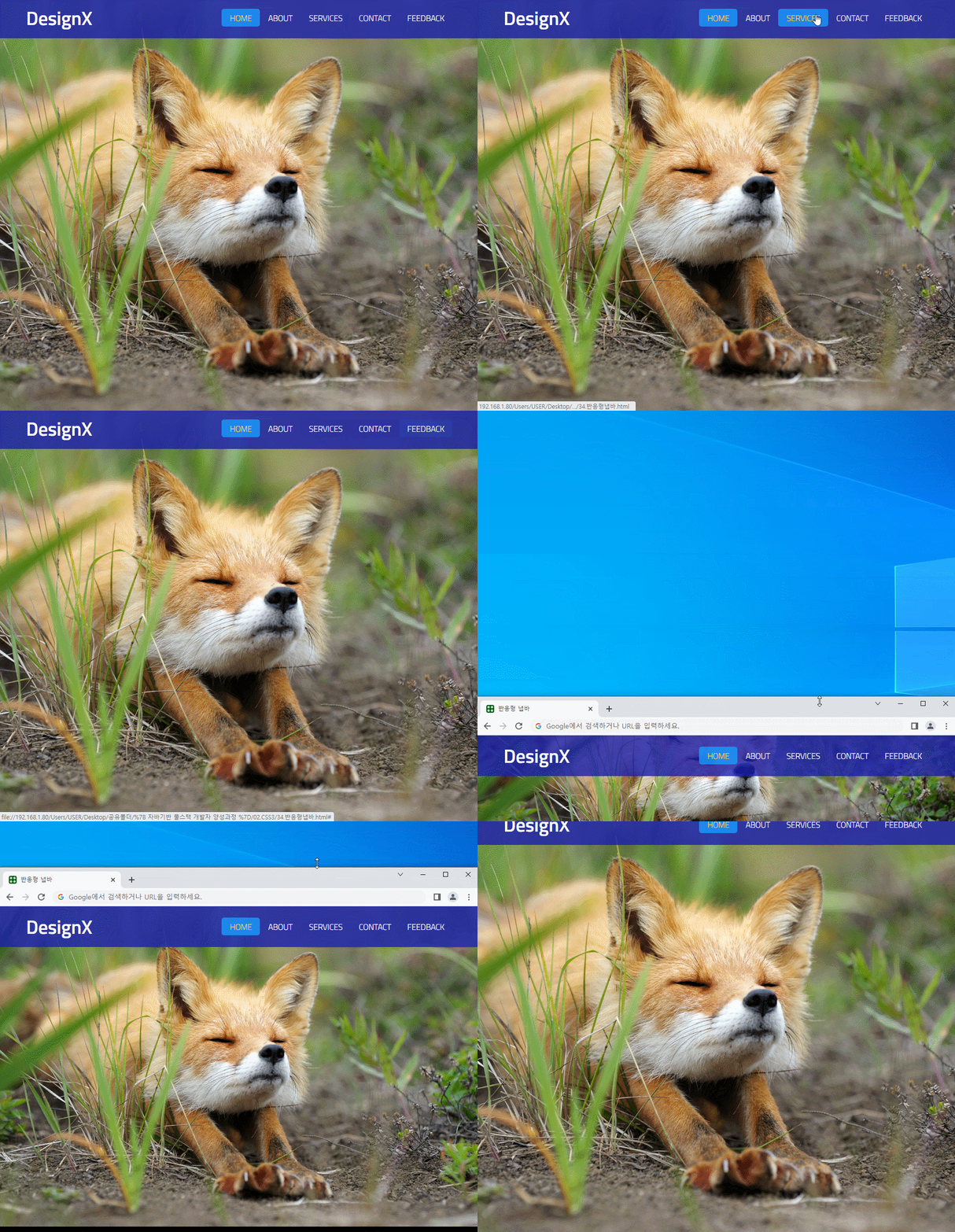
<!DOCTYPE html>
<html lang="ko">
<head>
    <meta charset="UTF-8">
    <meta http-equiv="X-UA-Compatible" content="IE=edge">
    <meta name="viewport" content="width=device-width, initial-scale=1.0">
    <title>반응형 냅바</title>
    <link rel="shortcut icon" href="imgs/favicon.ico">
    <style>
        @import url('https://fonts.googleapis.com/css2?family=Titillium+Web:wght@200;300;600&display=swap');
        /*font-family: 'Titillium Web', sans-serif;*/


        * {margin:0; padding:0; box-sizing:border-box;}
        ul li {float:left; list-style:none;}
        a {display:block; color:#FFF; text-decoration:none;}

        /*===== body: Full Screen Background imgae =====*/
        body {
            font-family: 'Titillium Web', sans-serif; font-size:15px; color:#333;
            background:url(imgs/bg.jpg) no-repeat center center;
            background-size:cover;
            background-attachment:fixed;
        }

        /*===== nav =====*/
        nav {
            display:flex; justify-content:space-between; align-items:center;
            height:75px; padding:0 50px; background:rgba(25,30,175,0.8);
        }
        nav h1 {font-size:35px; color:#FFF;}
        nav a {
            padding:5px 15px;
            text-transform:uppercase; border-radius:5px;
            transition:all 0.4s ease;
        }
        a:hover, a.active {color:#FC0; background:rgba(25,155,255,0.8);}
        a.active:hover {background:rgba(95,195,255,0.8);}


        /*===== desktop =====*/
        @media screen and (min-width:800px) {
            #check, .checkBtn {display:none;}
        }

        /*===== mobile =====*/
        @media screen and (max-width:799px) {
            #check {display:none;}
            nav {display:block; padding:15px 25px;}
            nav h1 {float:left; font-size:28px;}
            .checkBtn {
                float:right; font-size:30px; color:#FFF;
                cursor:pointer;
            }

            /*===== 내비게이션 드로어 =====*/
            nav ul {
                position:fixed; left:-100%; top:75px;
                width:100%; height:100vh;
                background:rgba(0,50,0,0.8);
                transition:all 0.4s ease-in;
            }
            nav li {float:none; padding:35px 0;}
            nav li a {width:200px; margin:0 auto; font-size:24px; text-align:center;}

            #check:checked ~ ul {left:0;}
            /* 형제선택자: ~, 인접형제선택자: + */
        }
    </style>
    <script src="https://kit.fontawesome.com/11390cb447.js" crossorigin="anonymous"></script>
</head>
<body>
    <nav>
        <!-- 트리거 버튼(햄버거 버튼) -->
        <input type="checkbox" id="check">
        <label for="check" class="checkBtn"><i class="fa-solid fa-bars"></i></label>
        <!-- 로고 -->
        <h1>DesignX</h1>
        <!-- 메인 메뉴 -->
        <ul>
            <li><a href="#" class="active">home</a></li>
            <li><a href="#">about</a></li>
            <li><a href="#">services</a></li>
            <li><a href="#">contact</a></li>
            <li><a href="#">feedback</a></li>
        </ul>
    </nav>
</body>
</html>